How to boot ifs-emergency.ifs via zmodem in CLI
If "boot -t emerg" from CLI does not run Emergency IFS as ifs-emergency.ifs partition in RCC NOR got corrupted you can use zmodem CLI command for uploading ifs-emergency.ifs to RAM and boot/ run from there.
This will allow you to proceed with repairing of RCC flash but only if MMX is still OK as you need SD card to be accessible via /net/mmx/fs/sda0
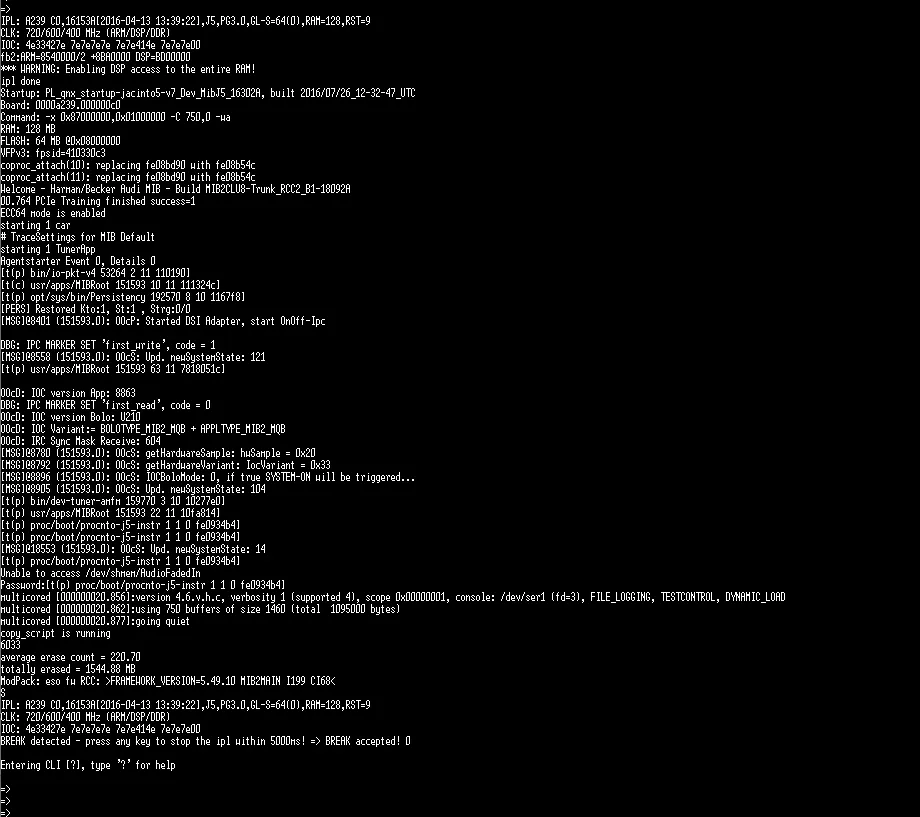
Slowing down IPL (getting 2:30 IPL mode)
-
Stop IPL and enter CLI and wait 30s so IPL continues to boot
-
Let it boot for a bit (see picture below) and power cycle unit very quickly
-
Stop IPL and enter CLI again and run zmodem. This time you will have 150 seconds to upload ifs-emergency.ifs at 460800 bps
TeraTerm macro for uploading of ifs-emergency.ifs
-
Copy ifs-emergency.ifs into TeraTerm folder (the macro script will search it there)
-
Copy zmodem.ttl into TeraTerm folder:
clearscreen 1 ;serial port number - adjust to your COM port number connect '/C=8' ;default RCC baud rate setbaud 115200 ;Macro waits for start input into CLI prompt wait 'start' mpause 500 sendln ;increase baudrate to upload image before IPL closes CLI and continues booting after 60s send 'b460800' ;send 'b921600' mpause 500 sendln mpause 500 ;setbaud 921600 setbaud 460800 mpause 500 ;enable zmodem sendln 'zmodem' mpause 500 ;copy ifs-emergency.ifs into Tera Term installation root zmodemsend 'ifs-emergency.ifs' 1 ;ifs-emergency.ifs automatically is loaded from memory - login with root now setbaud 115200 ;clears received characters in the buffer of MACRO. flushrecv -
Run TeraTerm
-
Stop IPL and enter CLI (do not type zmodem there, the macro will do it automatically)
-
From "Control>Macro" menu item in TeraTerm select zmodem.ttl
-
In CLI enter "start" without quotes. The macro will identify this command and automatically enter zmodem into CLI and start
ifs-emergency.ifsupload: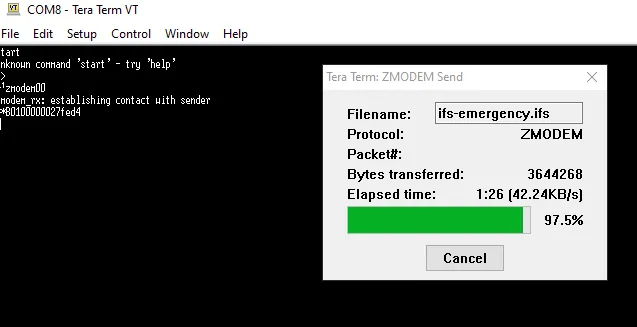
-
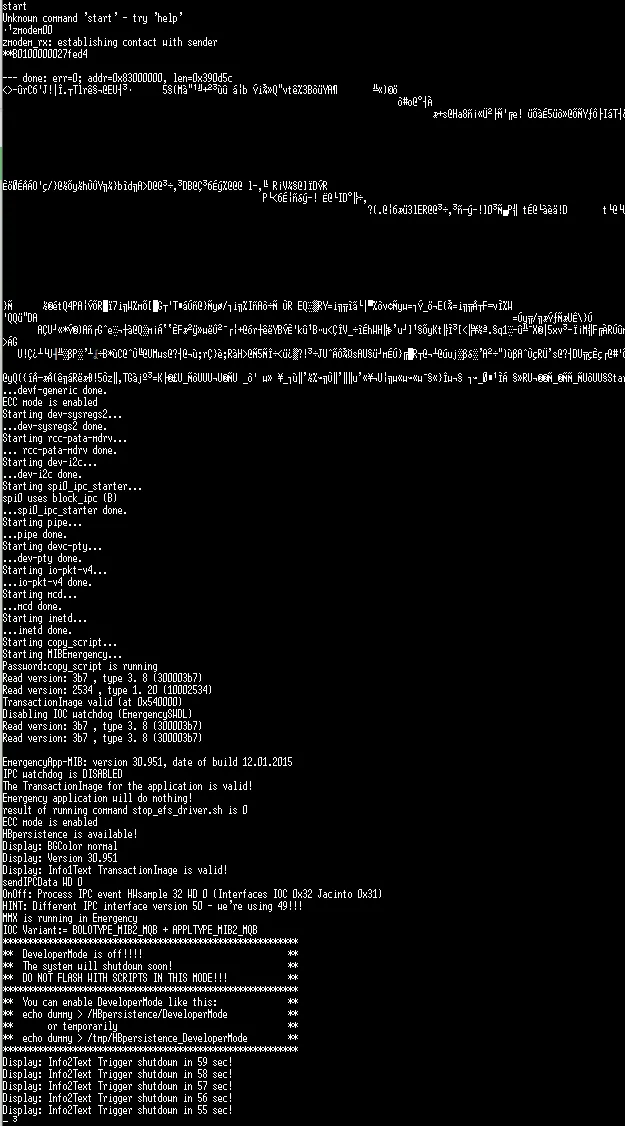
When the upload finishes and Emergency IFS boots, don't forget that ifs-emergency.ifs is still only in RAM and will be lost after reboot. Flash ifs-emergency.ifs into RCC NOR as soon as possible, so you don't need to play with slowing down IPL and zmodem uploading again. Good luck!
Community content mirrored from mibwiki.one. Always make a backup before flashing or coding a unit.