Manual IOC Update via telnet or TTL cable
First of all clarify, which variant does your unit have (for example FM2-P-TNL-JP-AU-MLE).
You can find out in m.i.b. installation log or just login to RCC/MMX and check with:
cat /net/rcc/mnt/efs-persist/SWDL/CachedTrain.txt
MHIG and MHI2_XX_AUG22
-
Take a look into firmware installation SD in metainfo2.txt and find references of your variant to files in \IOC\Main\40\default
-
Copy V850app and V850bolo corresponding to your variant to the root of SD card formatted in FAT32 and rename:
V850app_MLBEVO.bin > ioc_appl_bin_todo V850bolo_MLBEVO.bin > ioc_bolo_bin_todo -
Safely eject the SD and insert into SD1 slot of MIB
-
Reboot the unit and IOC update will start automatically
on -f rcc /net/rcc/sbin/mib_ioc_update -h
MHI2
- Take a look into firmware installation SD in metainfo2.txt and find references of your variant to files in \IOC\Main\21\default
-
Create IOC folder on SD card
-
Take a look into metainfo2.txt and copy V850app and V850bolo corresponding to your variant to the IOC folder of SD card formatted in FAT32
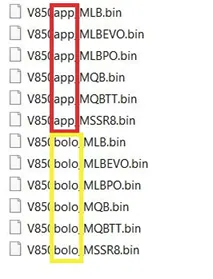
In our case V850appMLB.bin and V850boloMLB.bin
-
Rename the files you copied to IOC folder: (REMOVE .bin EXTENTION)
V850app_MLB.bin > ioc_appl_bin V850bolo_MLB.bin > ioc_bolo_bin -
Safely eject the SD and insert into SD1 of MIB
Reboot unit in update mode to update IOC App
on -f rcc /usr/apps/mib2_ioc_flash updateApp
Unit will restart automatically and you will see update reboot screen on MMI
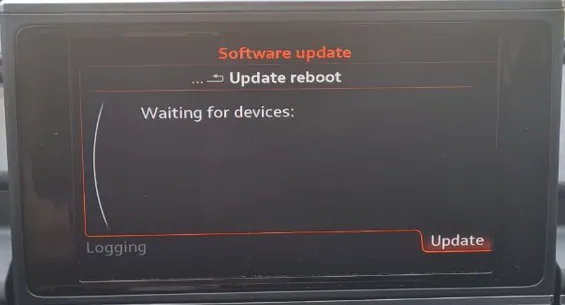
Update IOC App
on -f rcc /usr/apps/mib2_ioc_flash updateAppNow
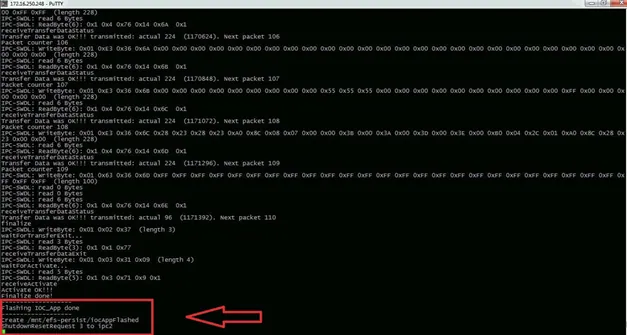
Restart unit (if no automatic reboot was triggered)
on -f rcc /usr/apps/mib2_ioc_flash reboot
Run unit in update mode to update IOC Bolo
on -f rcc /usr/apps/mib2_ioc_flash updateBolo
Automatic restart will be triggered again and unit goes into boot mode
Update IOC Bolo
on -f rcc /usr/apps/mib2_ioc_flash updateBoloNow
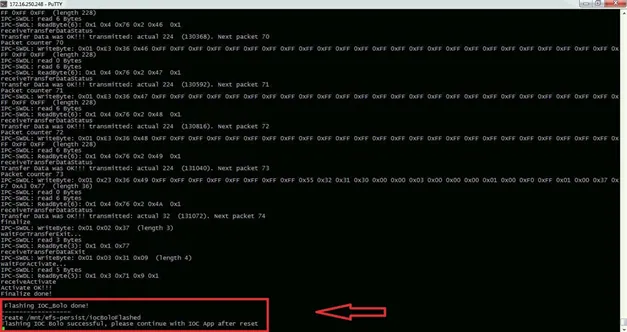
Known issues
If you updated Bolo before App, RCC and MMX will loose EEPROM access and Train version and MU software will look like:
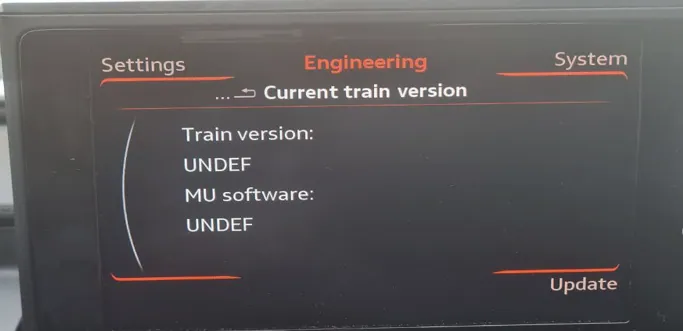
To fix this, repeat the steps starting from updateApp
Reference
Community content mirrored from mibwiki.one. Always make a backup before flashing or coding a unit.