V850 programming after chip replacement
You will need:
FT232 TTL adapter and Renesas Flash Programmer V2.05.03
Alternatively: Orange5 with it's own software
Make the connection:
- On the unit side you can make the connection directly to the chip or find test pads on the board with a multimeter:
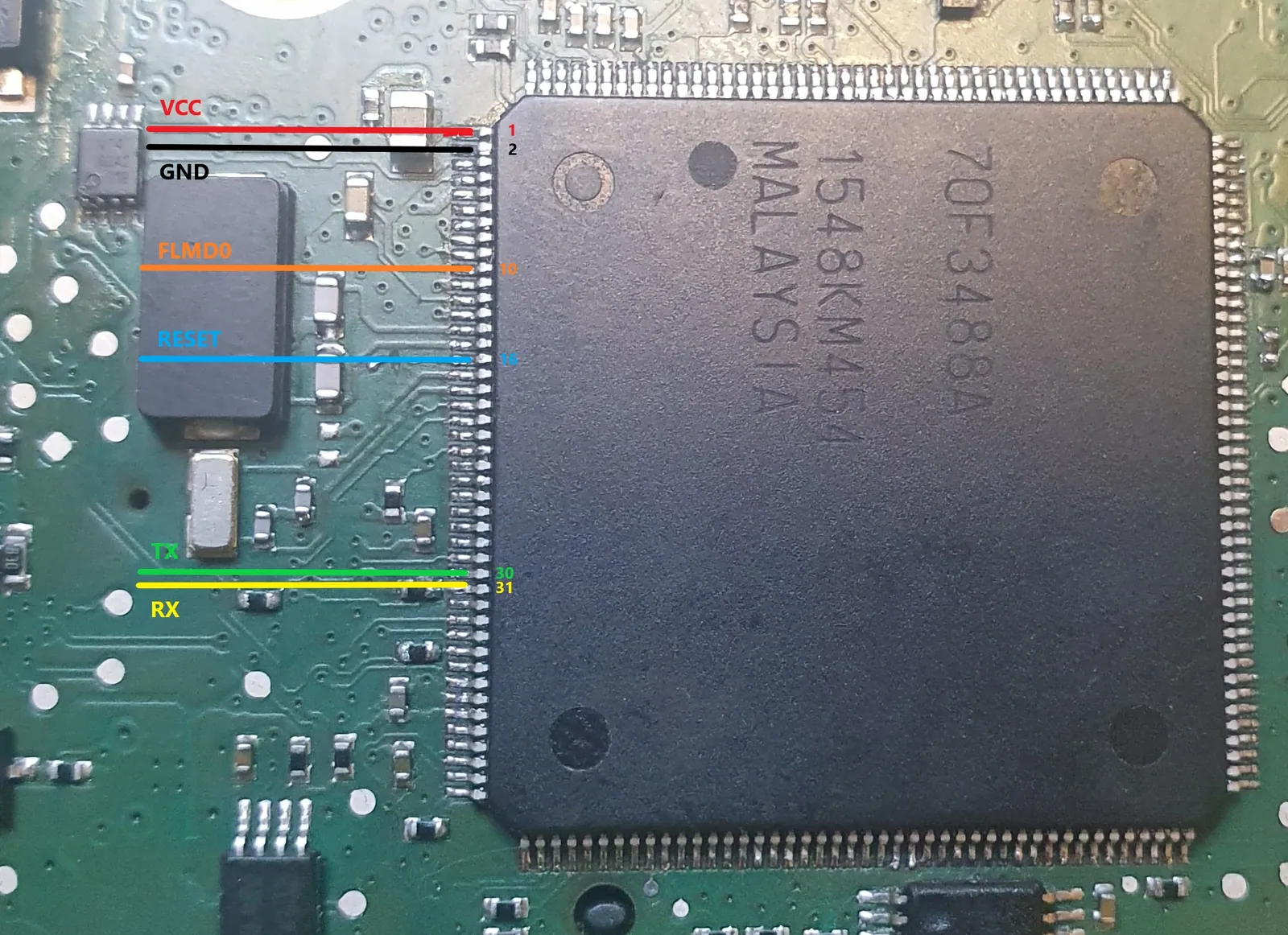
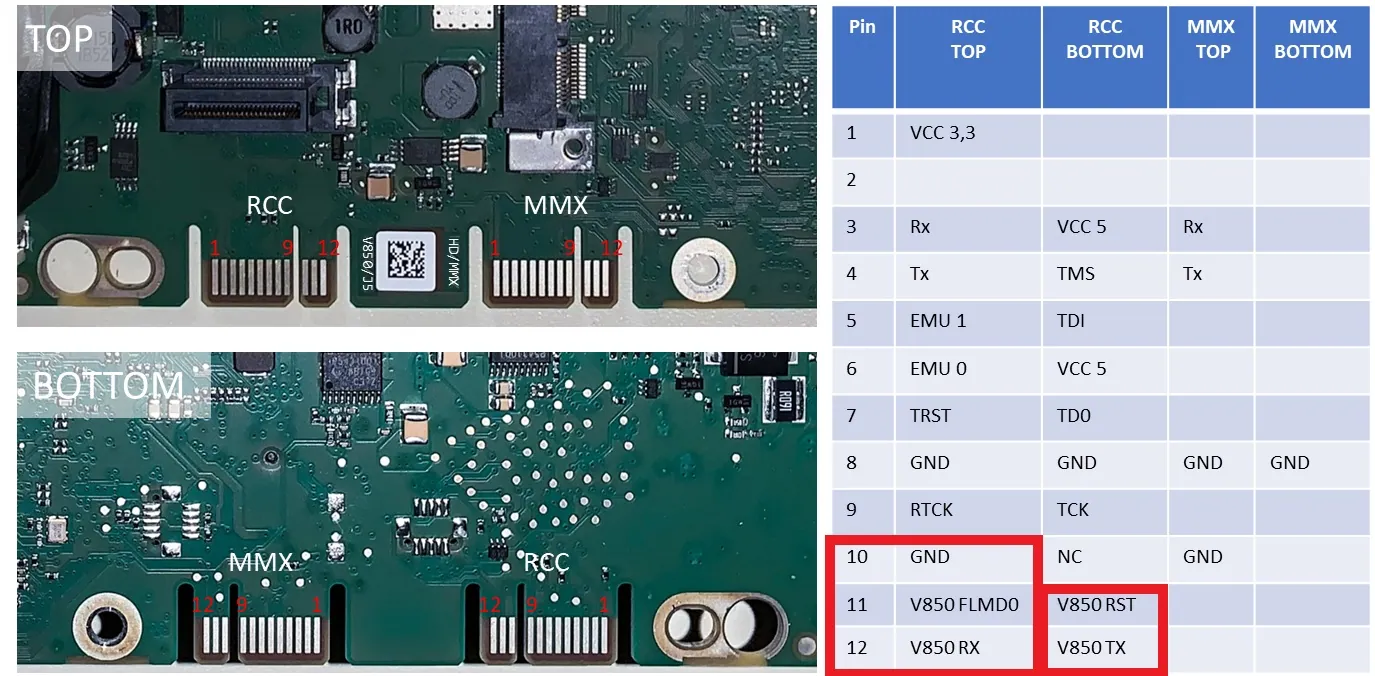
- On the FT232 TTL adapter side:
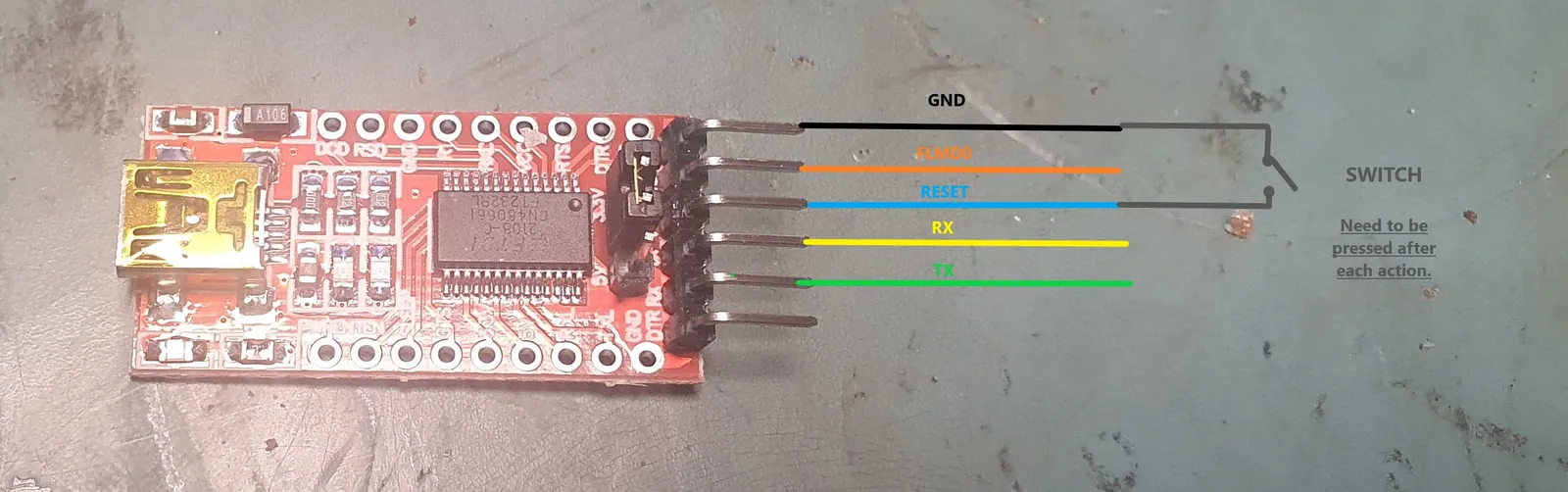
On the photo above, ft232 adapter has following pinout(from top to the bottom): \npin1=GND, pin2=CTS, pin3=VCC/3,3V, pin4=TX, pin5=RX.
pin2 (CTS) supplies 3,3V to FLMD0 that forces V850 to go into flash programming mode when you power on the unit via quadlock. By other words unit will stay powered off as long as FLMD0 is in high state.
Power on the unit via quadlock, run Renesas Flash Programmer V2.05.03 and use following settings:
-
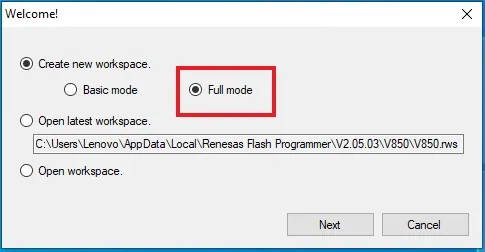
Full mode:
-
Select chip:
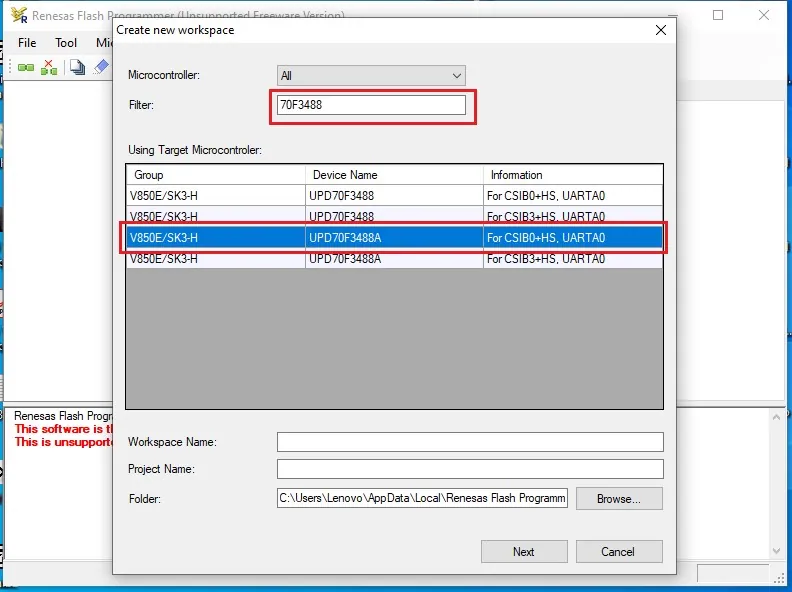
-
Select COM port (check in Windows Device Manager):
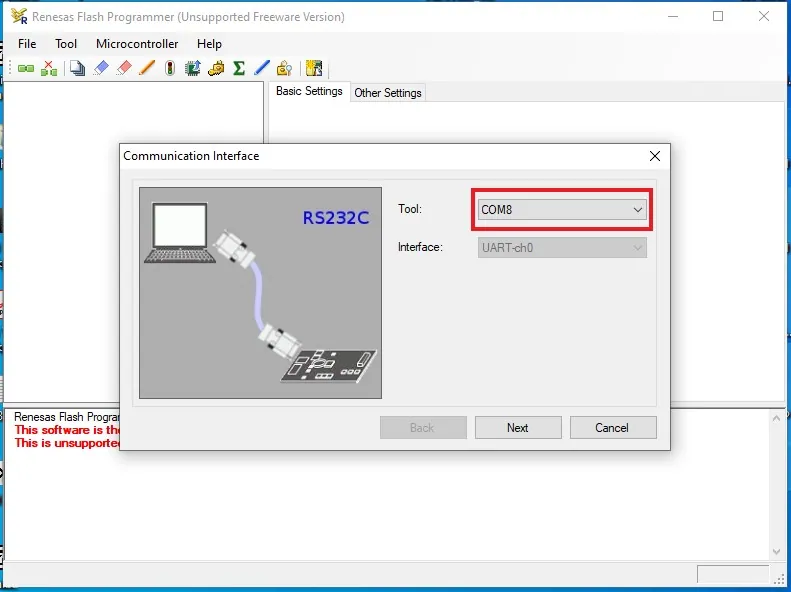
-
Interface Speed 115,200bps, Frequency (4.00Mhz):
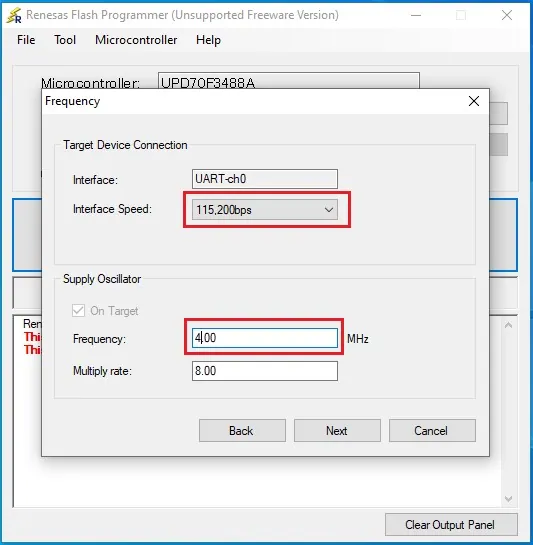
Select V850bolo_MQB.bin:
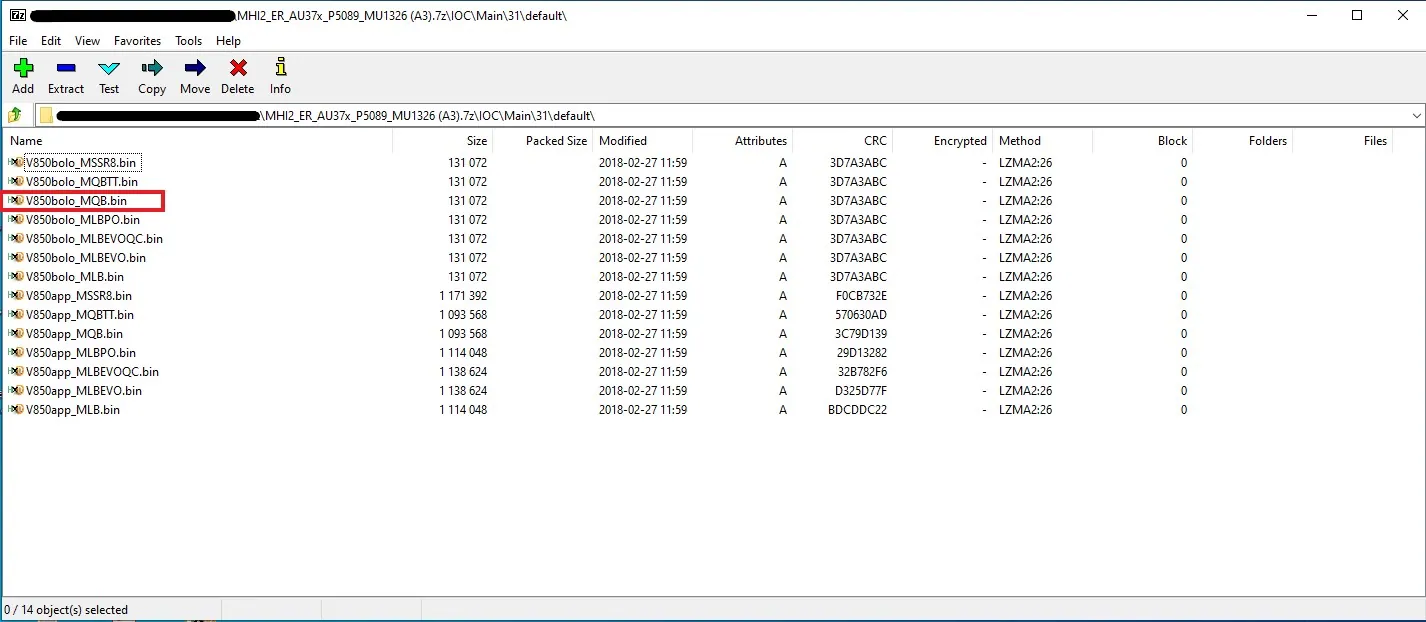
After you flashed the bolo, power on the unit, and update IOC App manually or run a full firmware update from SD card
Community content mirrored from mibwiki.one. Always make a backup before flashing or coding a unit.