MHI2 EU conversion
MHI2 EU conversion
Preparation:
-
Get latest M.I.B beta v3.1.0 and prepare 1st SD card → MIBSD
Install M.I.B. as usual on your unit and make a backup!
-
Get target EU FW (
MHI2Q_ER_AUG22_P5092_MU1329 (A4-A5-Q5-Q7).7z) and prepare 2nd SD card → FWSD
Step 1 - change train to EU
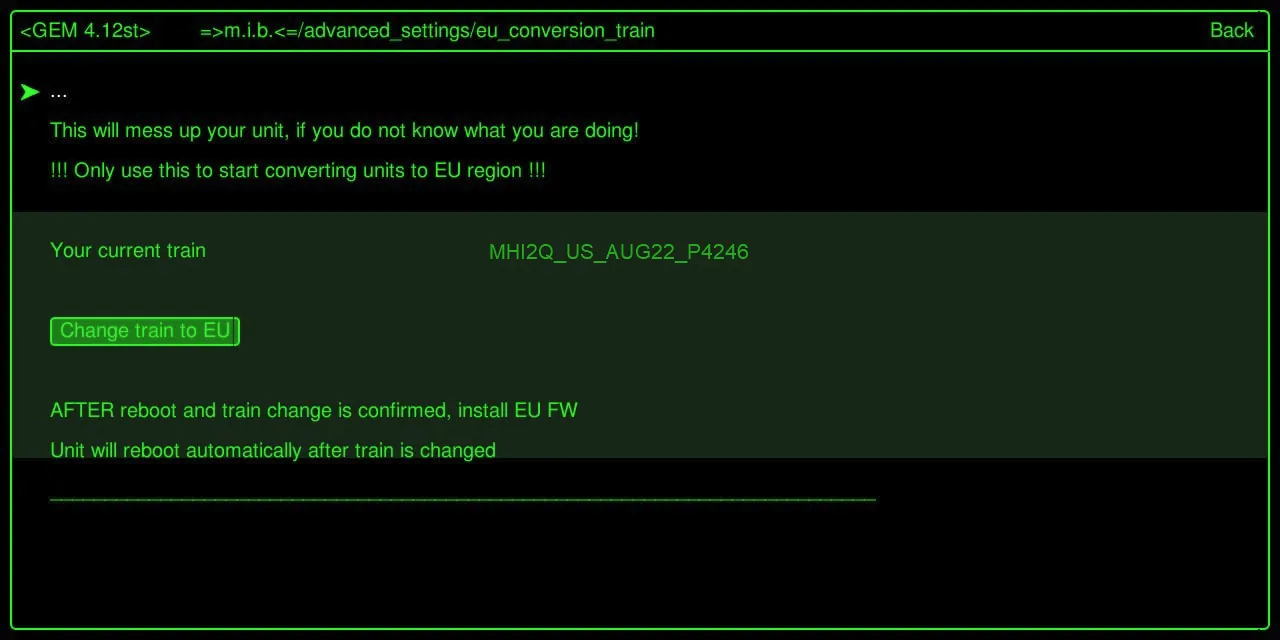
Enter GEM and use M.I.B to change train to EU version.
Change train to EU function will automatically select the right EU train, change eeprom and reboot unit.
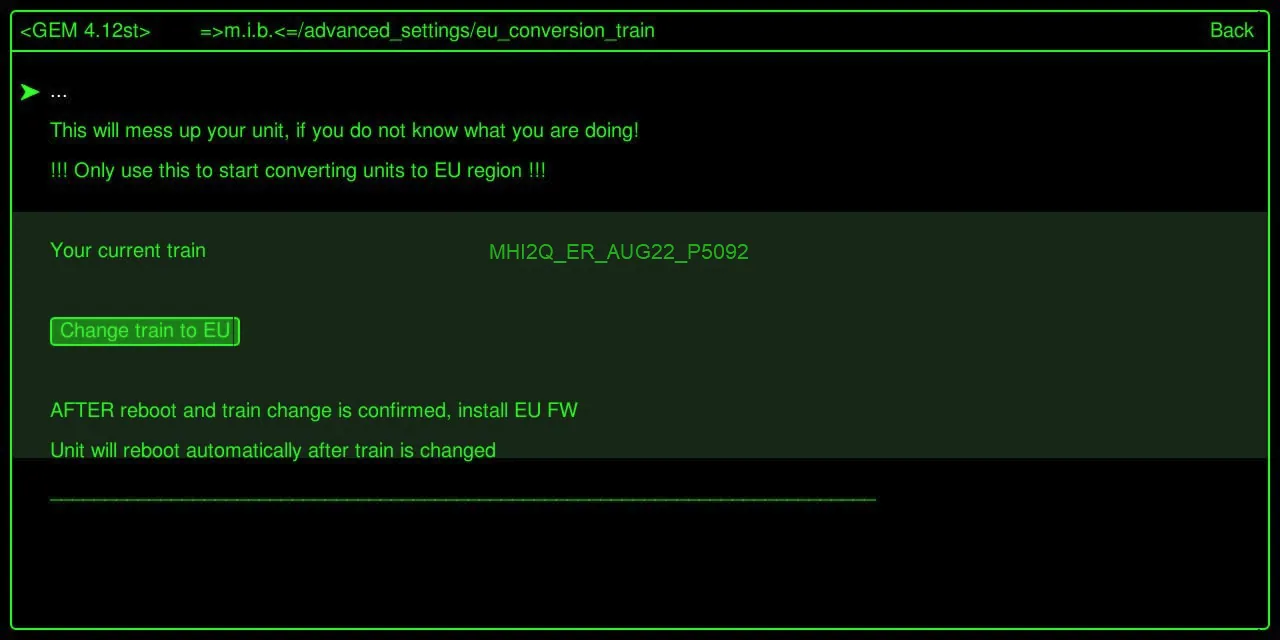
After reboot the menu will show the new EU train
Step 2 - install EU FW
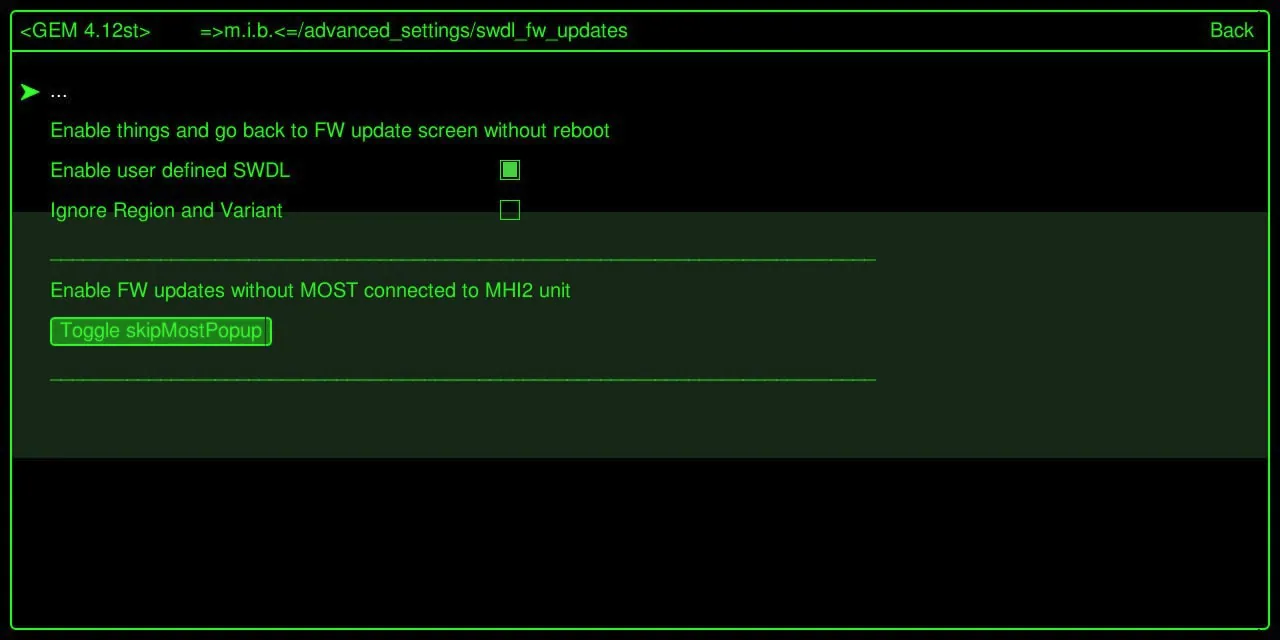
Enter GEM and select "Enable user defined SWDL"
Optional
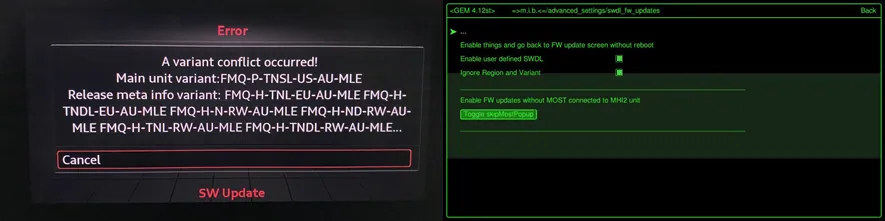
Exit GEM - NO reboot
Enter red menu
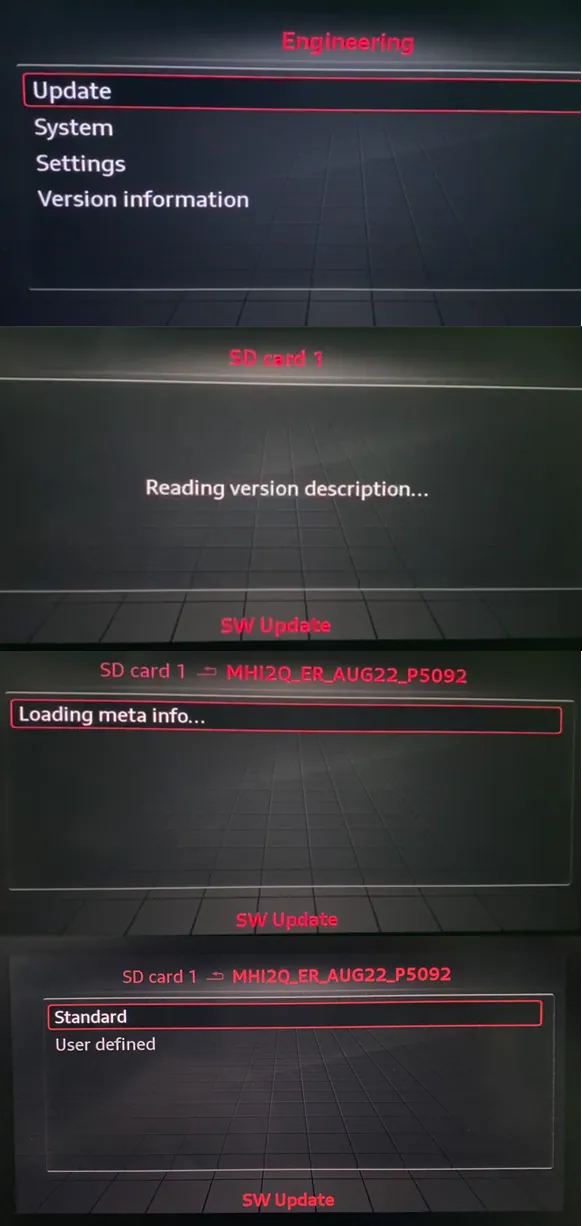
Step 3 - apply EU coding to Unit
Enter GEM and select:
-
"Apply 1-Click EU coding"
All relevant cosing (long cosing and adaptions) will be changed to EU settings.
-
"Press to save changes"
-
"Reboot Unit"
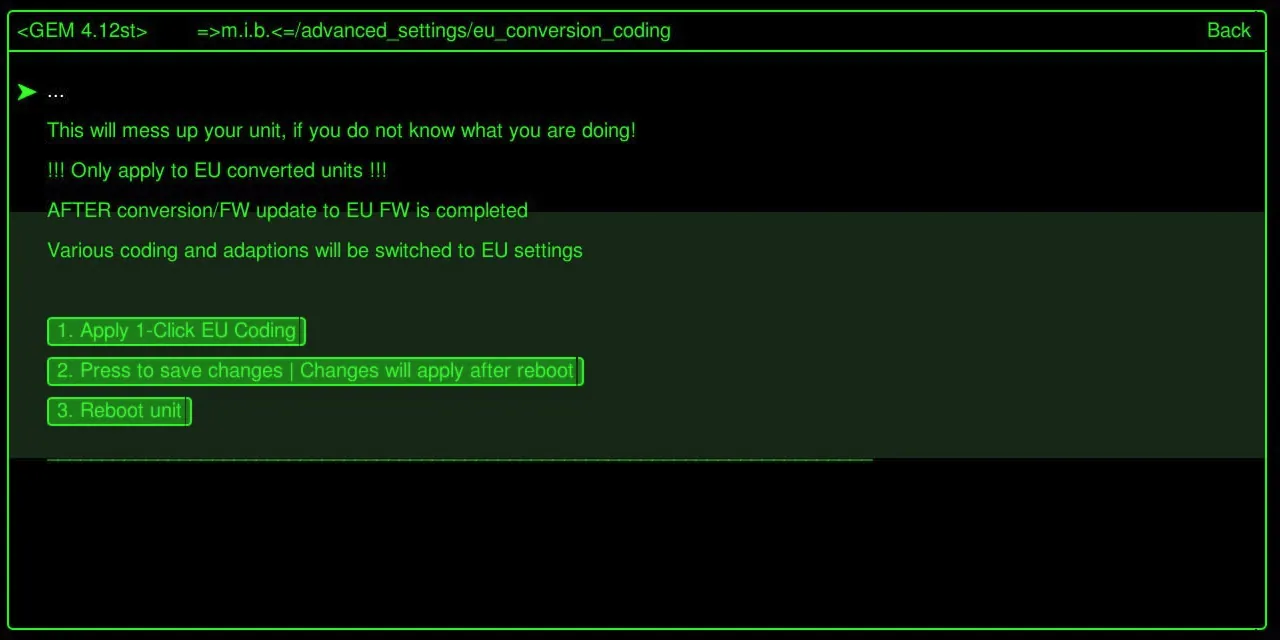 Step 4
When eu conversion coding step 1 - 2 - 3 done, you should to go to MMI Settings / Factory Settings / Select All / Factory Reset
All good, enjoy like always!
Community content mirrored from mibwiki.one. Always make a backup before flashing or coding a unit.