Conversion of CN/JP/KR/TW/US to EU
Step by step instruction by Enthusiast
- Unzip the latest M.I.B. version https://github.com/Mr-MIBonk/M.I.B._More-Incredible-Bash/archive/refs/heads/main.zip onto a FAT32 formatted quality SD card
- Insert SD card into SD1 slot (IMPORTANT!) of the MIB and install M.I.B. via corresponding key combo
-
Long press MENU button, go to Green Engineering Menu=>m.i.b.<=NEXT SCREEN for more magic …>advanced_settings>eu_conversion_train>Convert unit to EU
GOOD TO KNOW! It is important to carefully read and make photos of all the screens you will see.
-
Check that train is changed to EU:
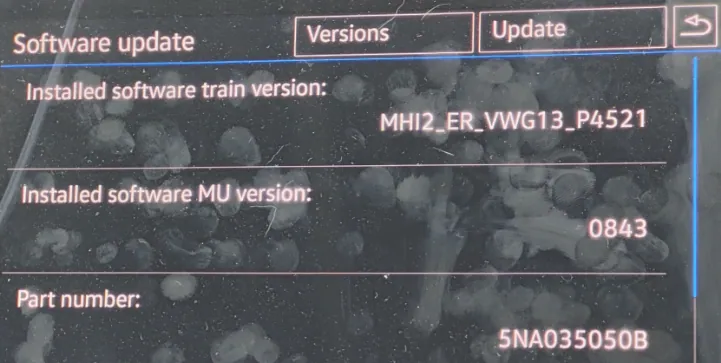
-
Download EU firmware (
IMPORTANT! if available use AIO version- EDIT: do NOT use AIO wtf is this tip?! Use latest available EU fw) and unpack onto FAT32 formatted SD cardVERY IMPORTANT!
If you did not find AIO firmwarethen go to "advanced_settings>swdl_fw_updates" and enable checkbox "Enable user definded SWDL":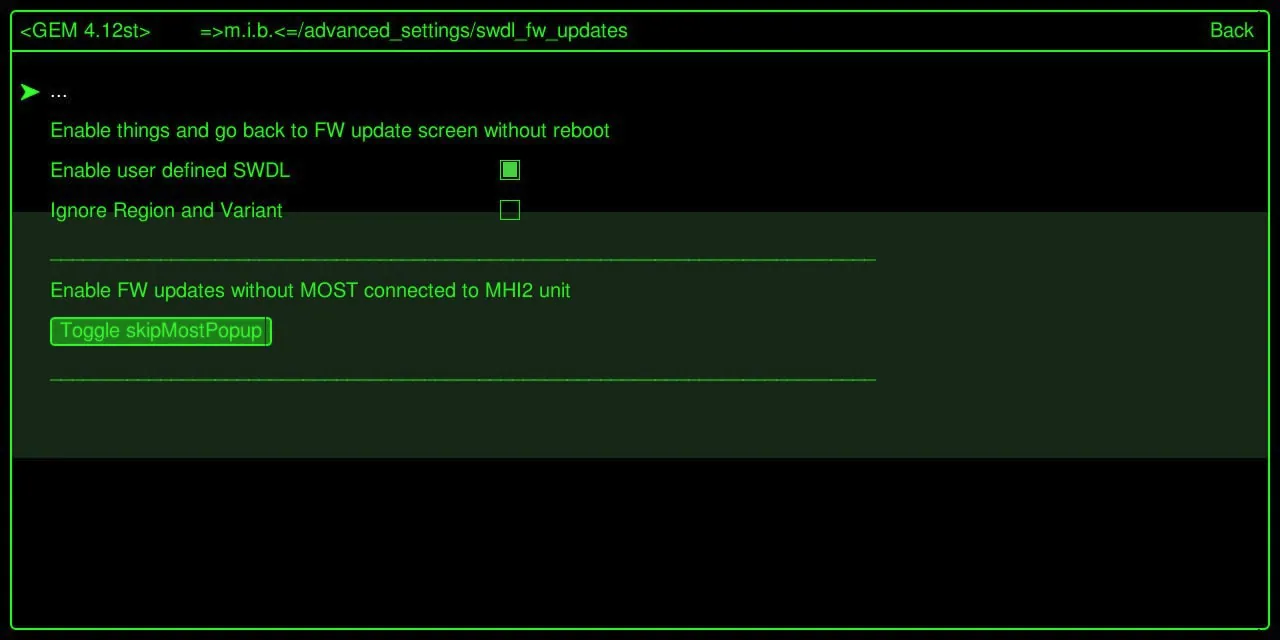
Exit GEM but do not reboot!
On VW/Skoda/Seat go directly to Service Mode Menu by long press MENU.
On Audi, open RED (Engineering) menu and use User defined:
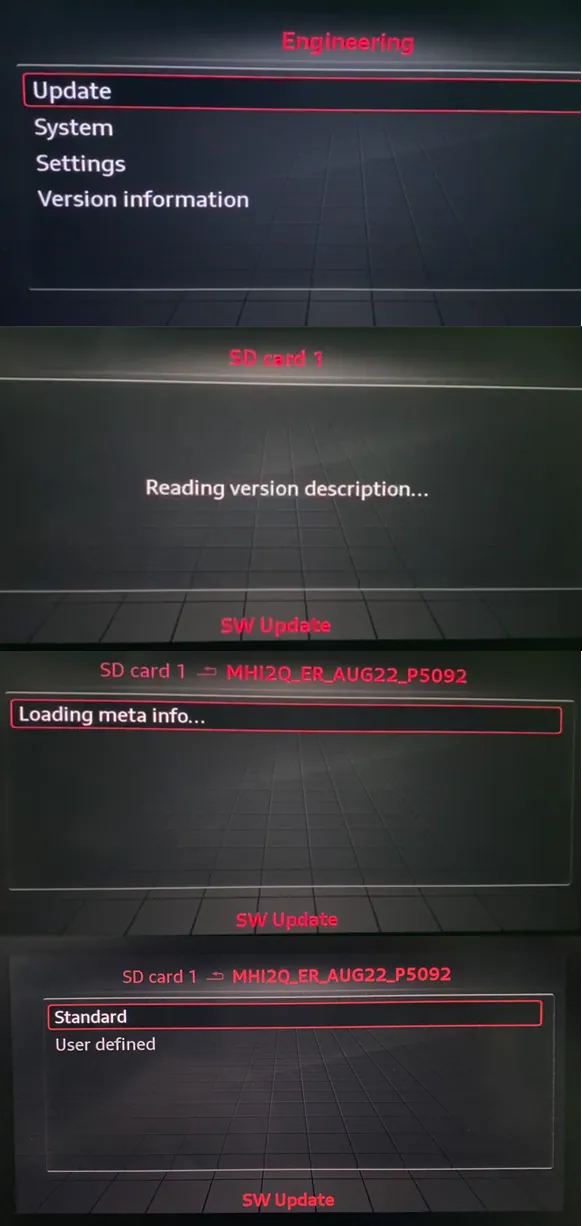
VERY IMPORTANT! If User defined will not work, then you need manual update for MMX part via Dlink!
- Insert SD card with the firmware into SD1 slot and install it:
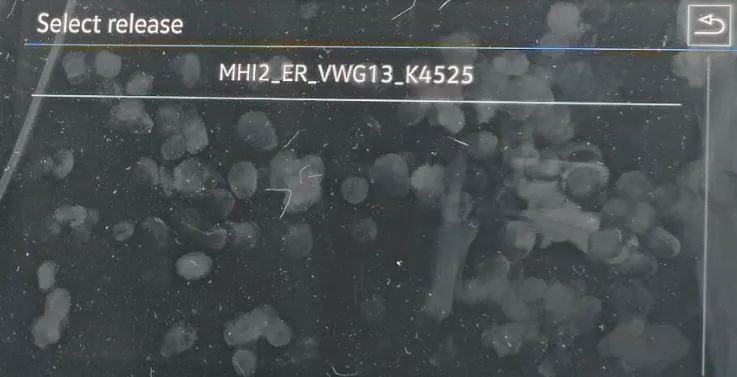

If you installed not AIO version, download 20230412_M.I.B_Patches.7z and unpack the folder that matches installed train into the patches folder on M.I.B. SD. Then in M.I.B. run "patch_unit_aio>PATCH NOW: Patch | add FECs | enable CP/AA coding | and more"
- Unpack EU navi maps https://navigation-maps.volkswagen.com/vw-maps/P330_N60S5MIBH3_EU.7zonto FAT32 formatted SD and install it.
GOOD TO KNOW! In case you will not be able to install maps, do advanced_settings>format_nav_db
On MHI2Q* you cannot use this m.i.b function, so use any OBD2 adapter and software (VCP/VCDS/ODIS-E etc) that can run block 5F → Basic Settings → Format Internal Database (Memory)
- Unpack EU RSDB https://www.phonostar.de/download/vw/MQB2_Europe_v1.10.42.ziponto FAT32 formatted SD and install it.
- Download Gracenote2 EU V22-0010-1.1.1.2679-20220316.7z from mibvault.com/files/MHI2 - HARMAN/Gracenote folder, unpack it onto FAT32 formatted SD card and install it.
Where do download the latest updates:
- EU maps
- RadioStationDB
- GraceNote
Example of MHI2Q conversion
https://www.drive2.com/b/651860313007718652/
Conversion from CN/EU/JP/KR/TW/US to YY and unknown trains
Upload it to [https://mibvault.com/files](<https://mibvault.com/files>) into **M.I.B_Backup** folder and support will be added!
Community content mirrored from mibwiki.one. Always make a backup before flashing or coding a unit.